Case Study · 02
Skyline Physicians
A streamlined dashboard for home health physicians — organizing patient medical records and tracking progress in one place.
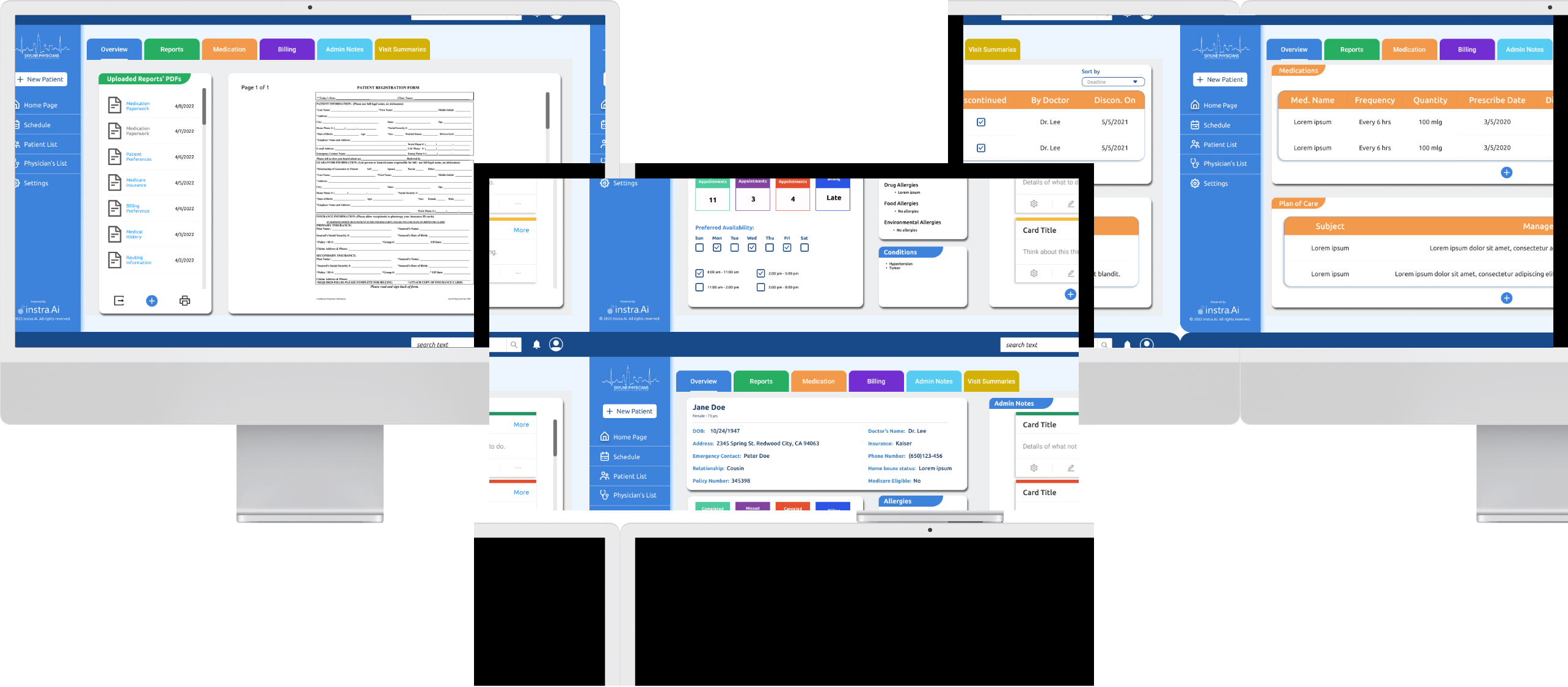
Overview
The challenge
Skyline Physicians is a web app that integrates all steps of home health visits into a centralized dashboard, markedly decreasing the time and cost of scheduling, patient visits, documentation, route mapping, billing, and recording visit summary notes.
Problem
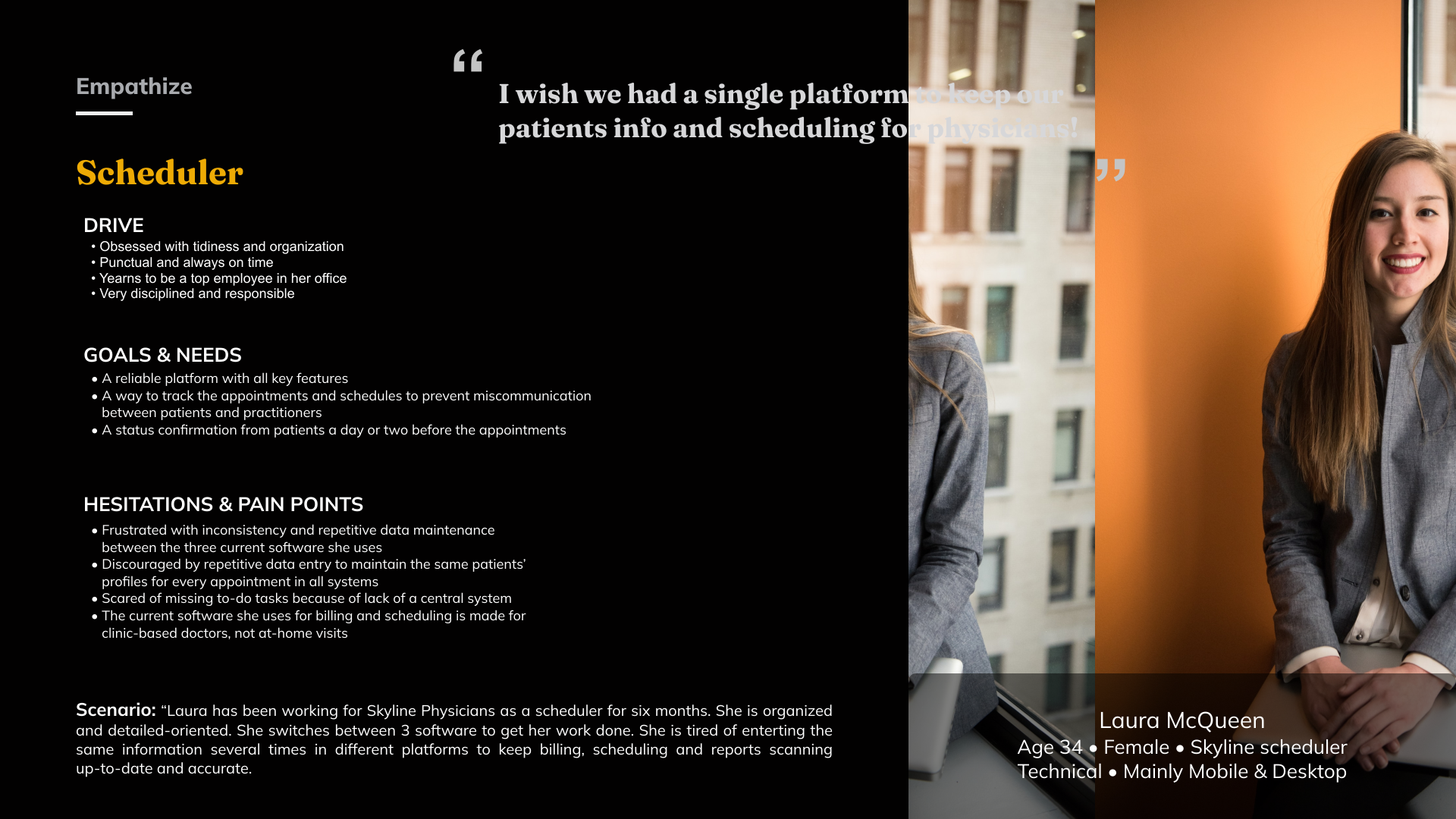
Using three separate software tools to schedule appointments, record progress reports, and scan patients' documents is frustrating, time-consuming, and expensive.
Solution
A centralized dashboard and database that keeps all patients' information, visit summaries, progress notes, scheduling, and billing documents easily accessible.
Discovery & Research
Understanding the space
Persona
Study of existing processes
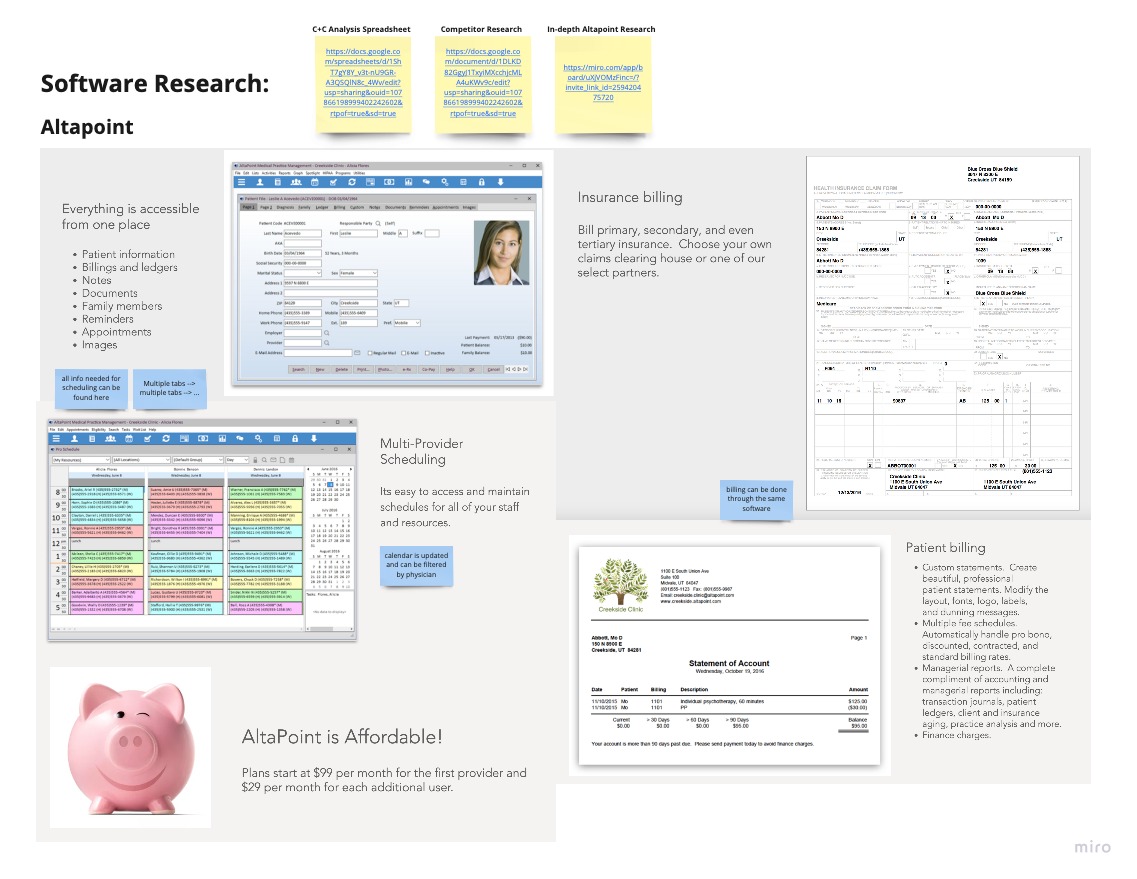
Schedulers use the following 3 tools for different purposes:
After getting a patient referral from a hospital or home health agency, the scheduler uses Altapoint to book an appointment. Skyline gives the doctor a blank chart and sends them to visit the patient.
After the doctor visits the patient and writes charts by hand, the completed paperwork is scanned into Paperport.
Skyline sends the scanned documents to Practice Fusion, where staff manually type the information into the EMR (Electronic Medical Record).
Software research
Competitor analysis
| Product | Appointment Scheduling |
Staff Management |
Multi- Location |
Patient Records Management |
Physician Management |
Recurring Appointment |
|---|---|---|---|---|---|---|
 AH
AH
|
✓ | ✕ | ✕ | ✓ | ✓ | ✕ |
 SF
SF
|
✓ | ✕ | ✕ | ✓ | ✓ | ✕ |
 SG
SG
|
✓ | ✓ | ✓ | ✕ | ✓ | ✓ |
 MP
MP
|
✓ | ✓ | ✓ | ✓ | ✓ | ✓ |
 DC
DC
|
✓ | ✕ | ✓ | ✕ | ✕ | ✓ |
Identifying and prioritizing pain points
Most important to client
Least important to user
Decrease monthly costs of the current software
Everything on the cloud and not on a specific computer
Simple interface
More consistency and accuracy
Integration of all the steps into a single platform
Notifications and reminders of daily tasks
Centralized platform for all features
Less repetitive typing work
Partnership with a billing company
Most important to user
Least important to client
Define
Shaping the solution
Defining the MVP
After conducting preliminary research and holding focus groups with stakeholders and users, I developed a clear vision for Skyline Physicians and defined the business requirements.
Design a platform that integrates all current steps, featuring:
Scheduling page
Centralized patient medical history and information
Route mapping
Folders for billing, medication, reports, and doctors' notes
Scanning and uploading documents
Site map
Key
Next Steps
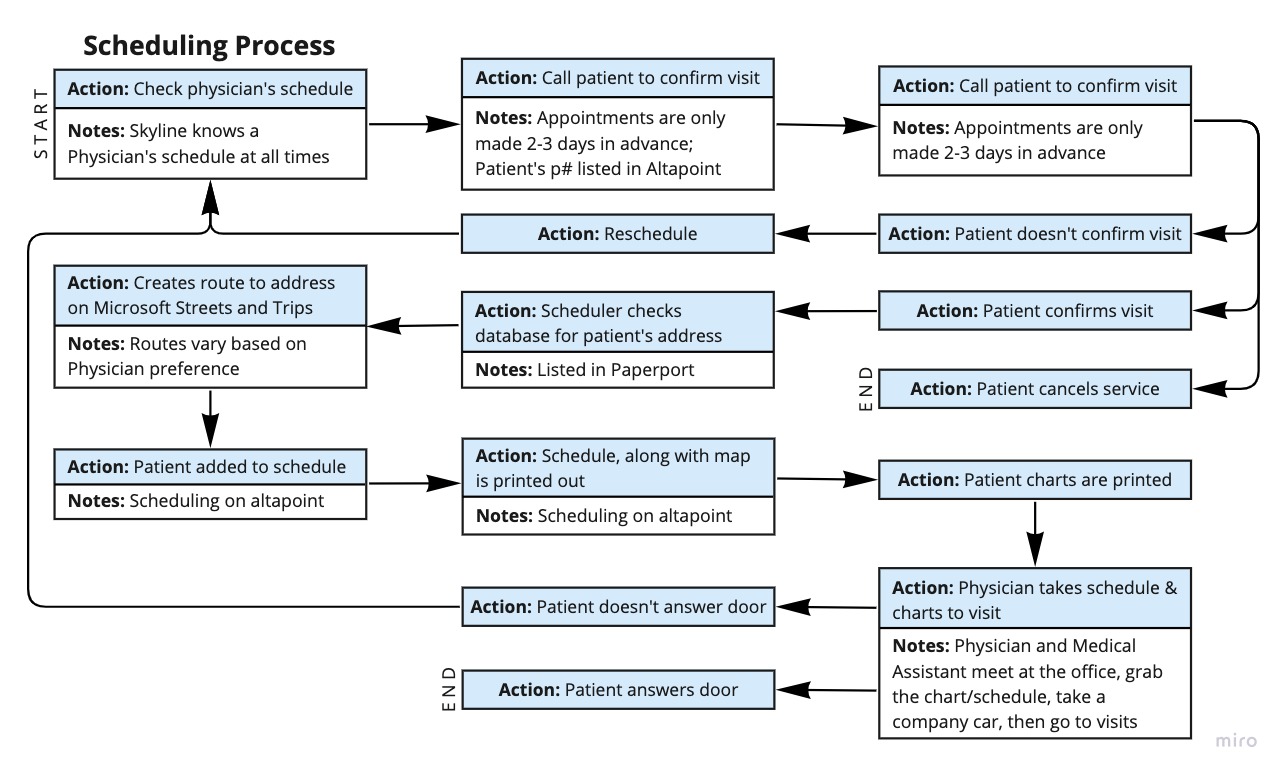
User flow — scheduling process
Design
From sketches to mockups
Sketches
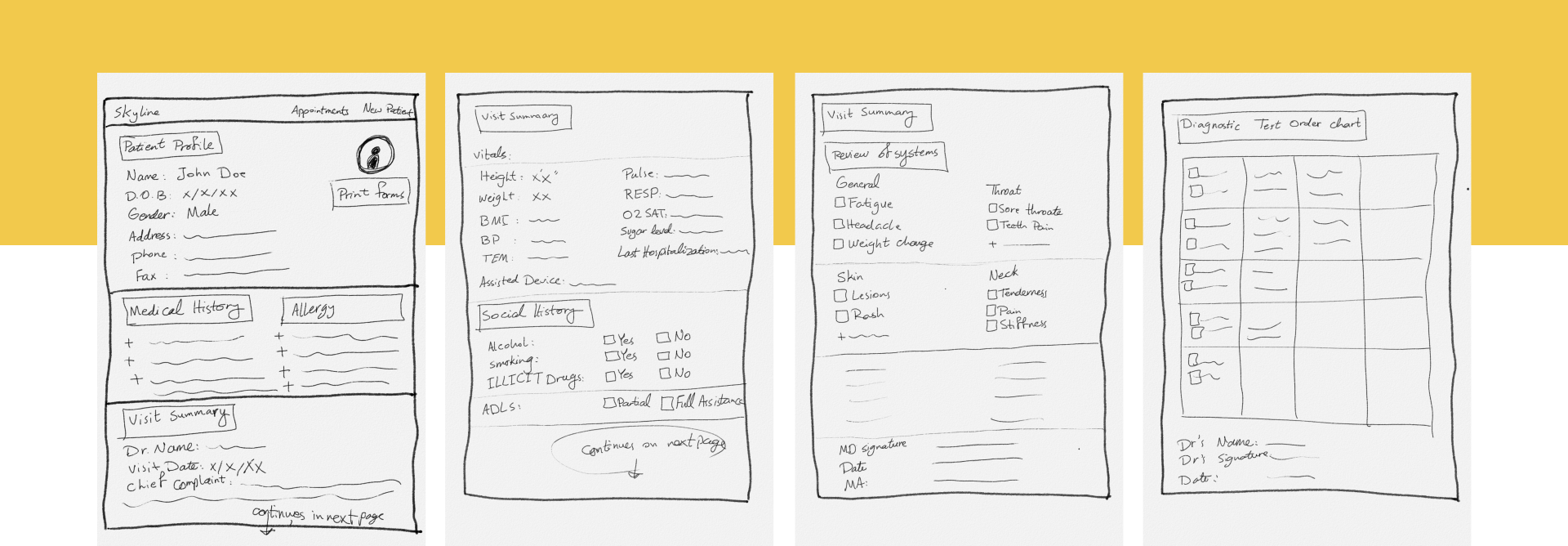
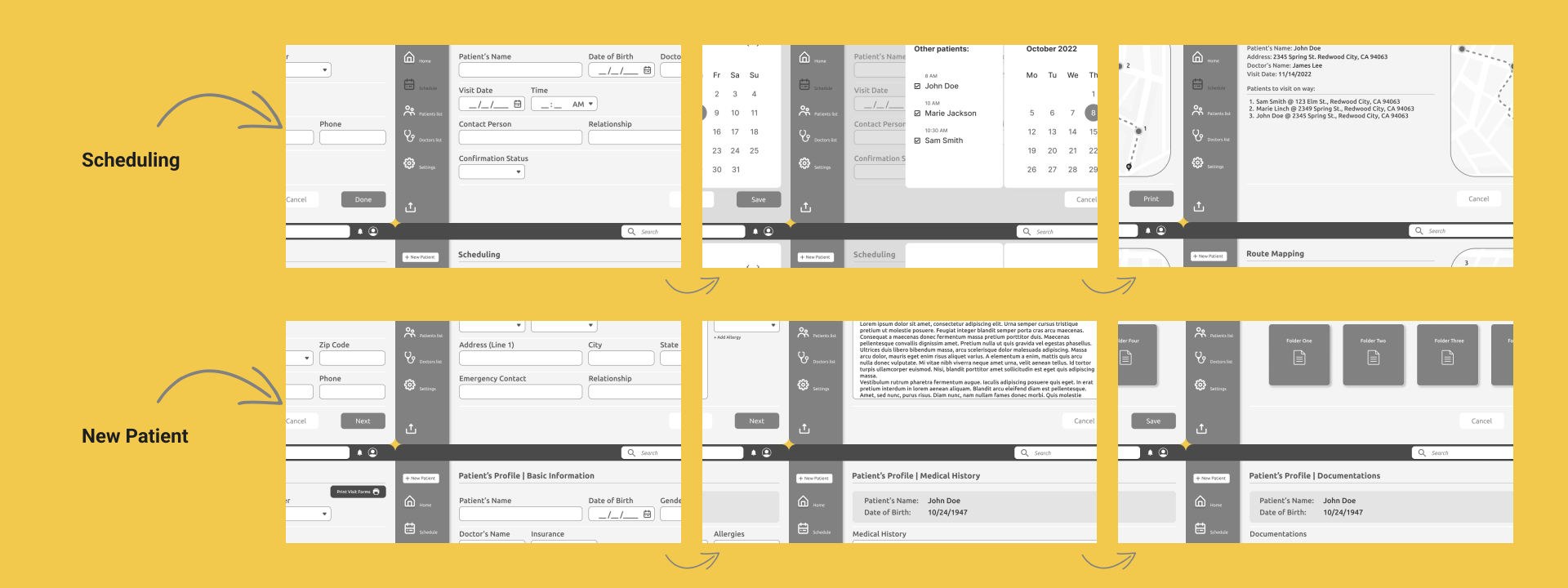
Wireframes
User test results
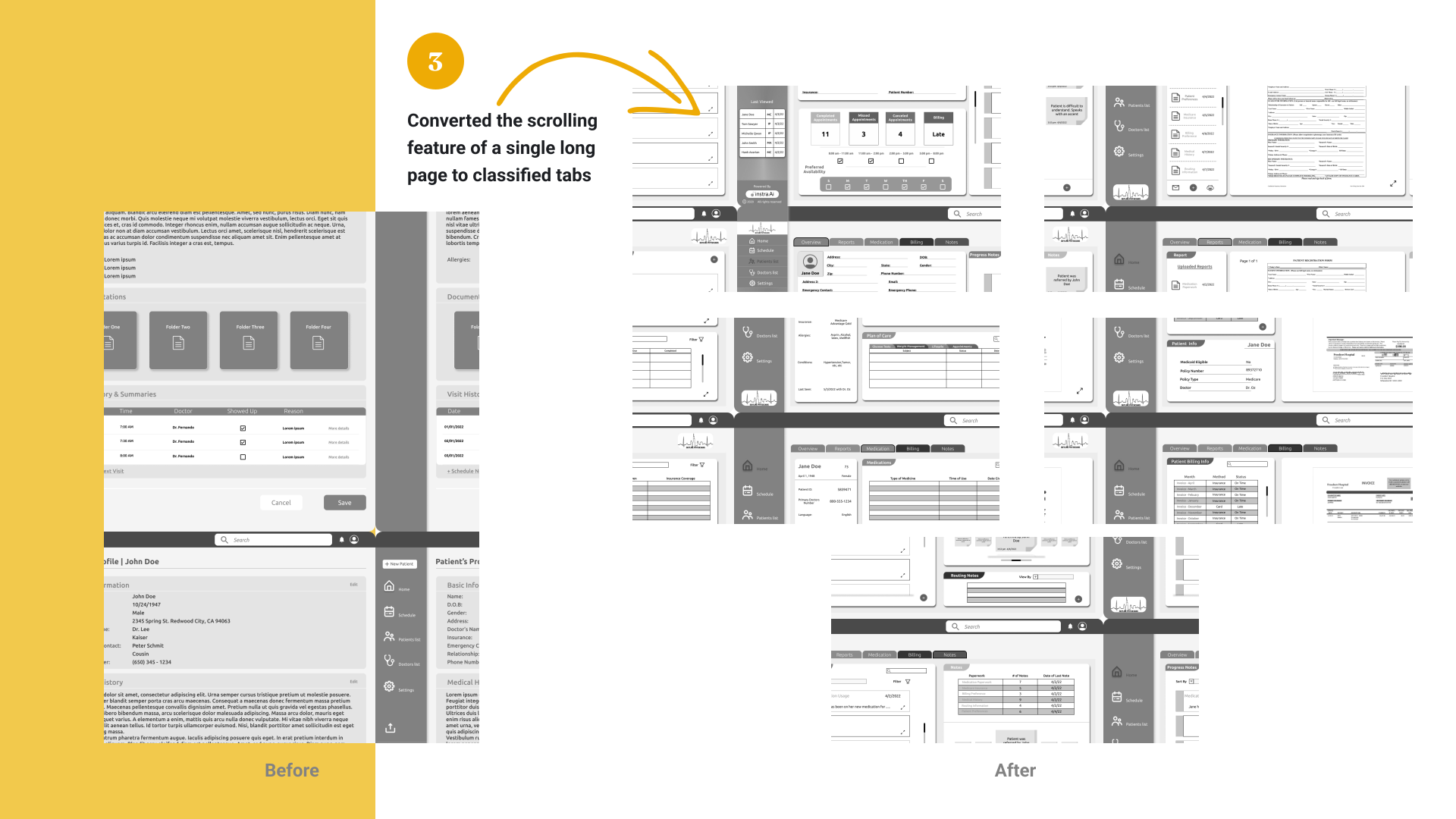
I drafted initial wireframes based on my sketches, then took them into a round of user testing with two schedulers to identify early issues in my design. Next, I evaluated the wireframes against the business requirements, user needs, and feedback. Here is what changed:
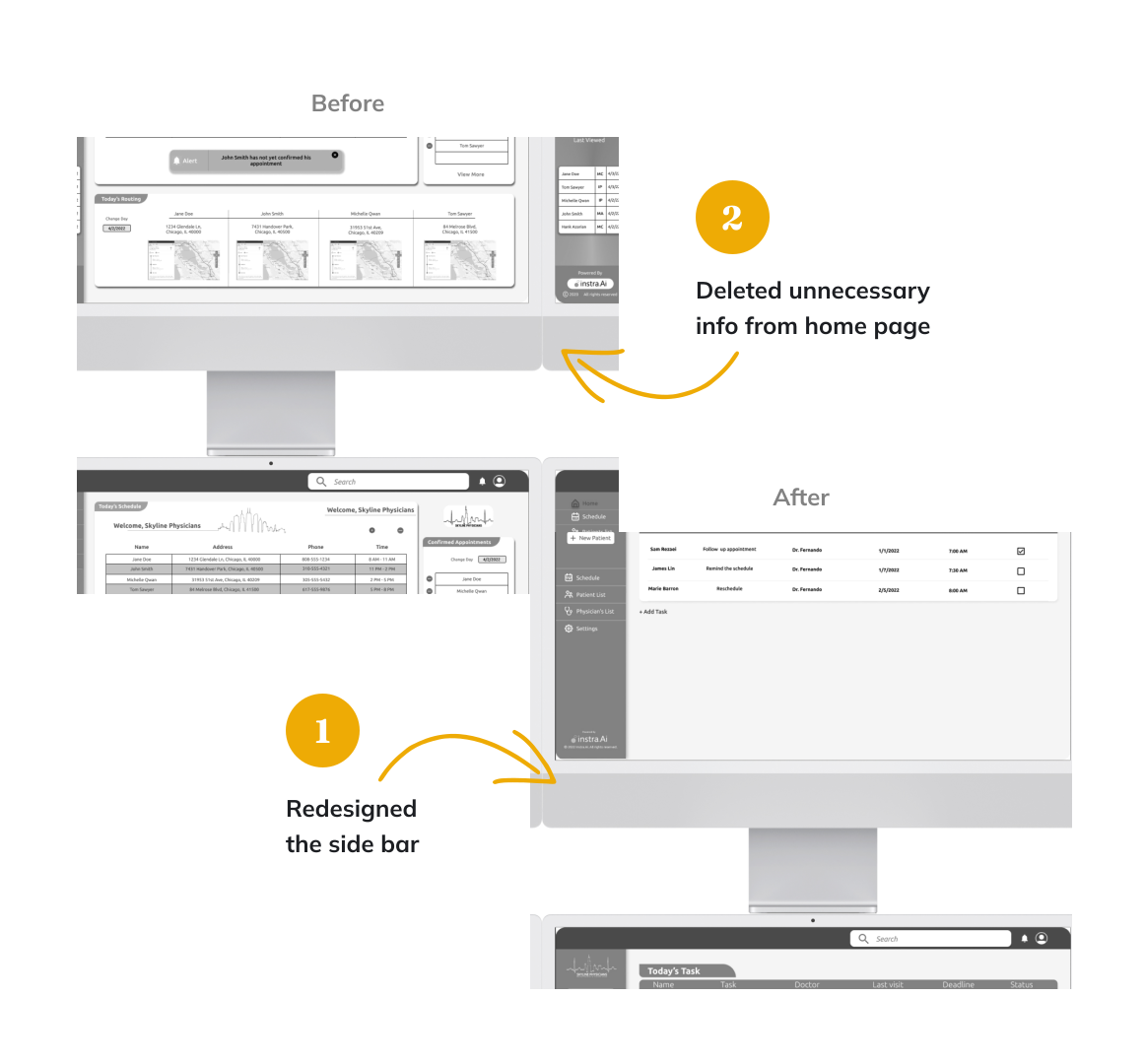
Changes made
Ant Design System
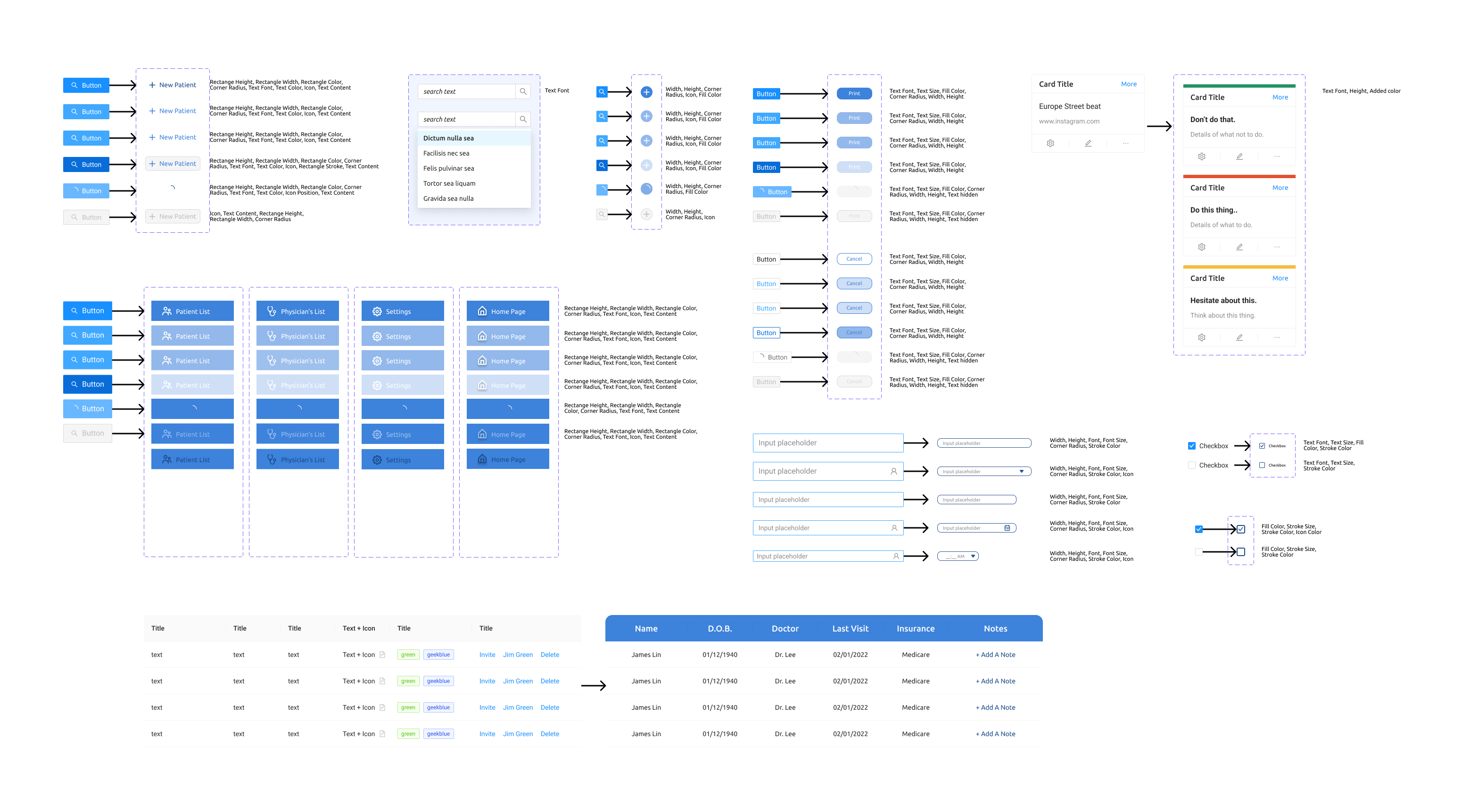
To facilitate the developers' work, I converted my design to Ant Design System components and noted the changes.
Mockups
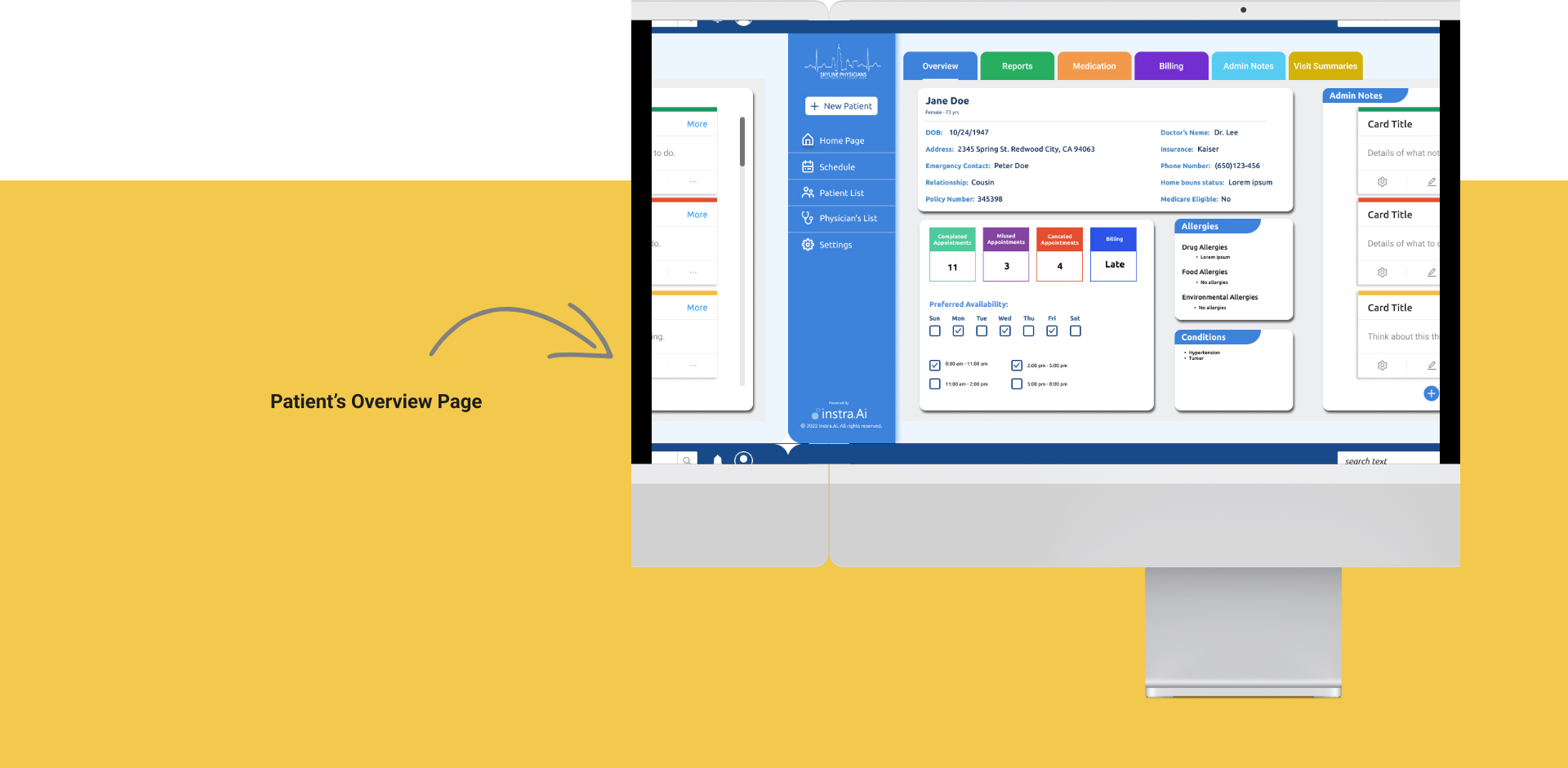
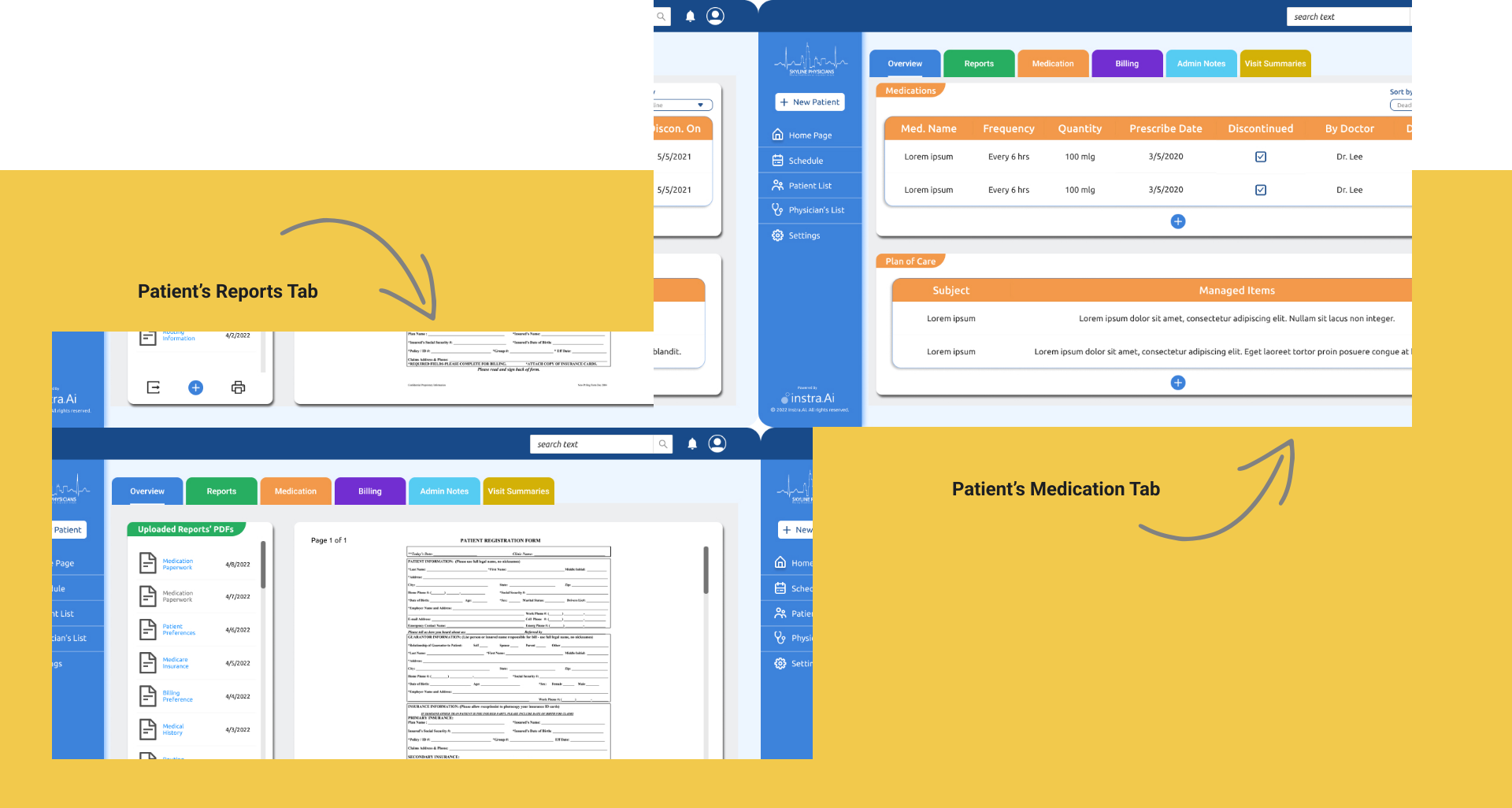
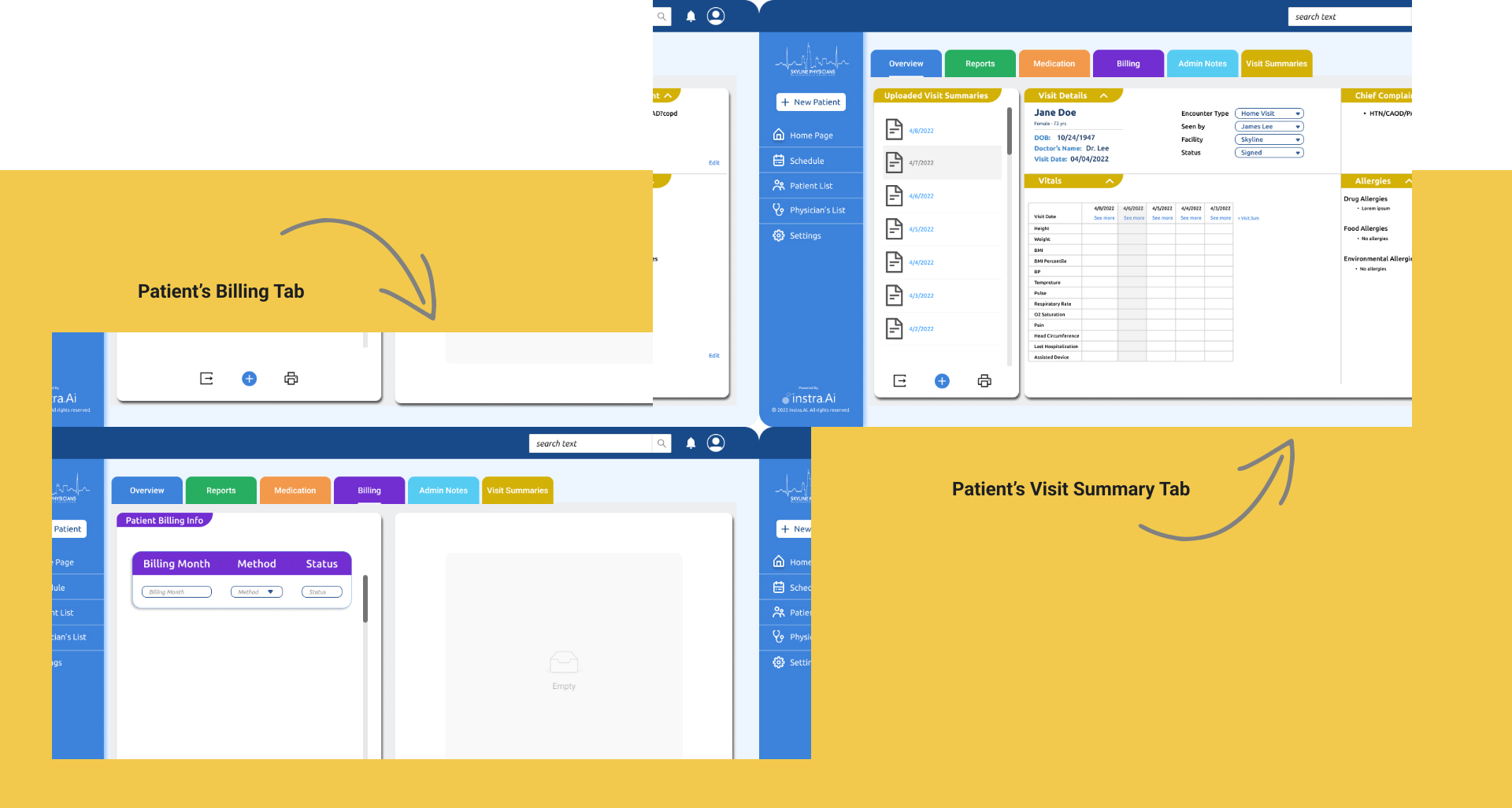
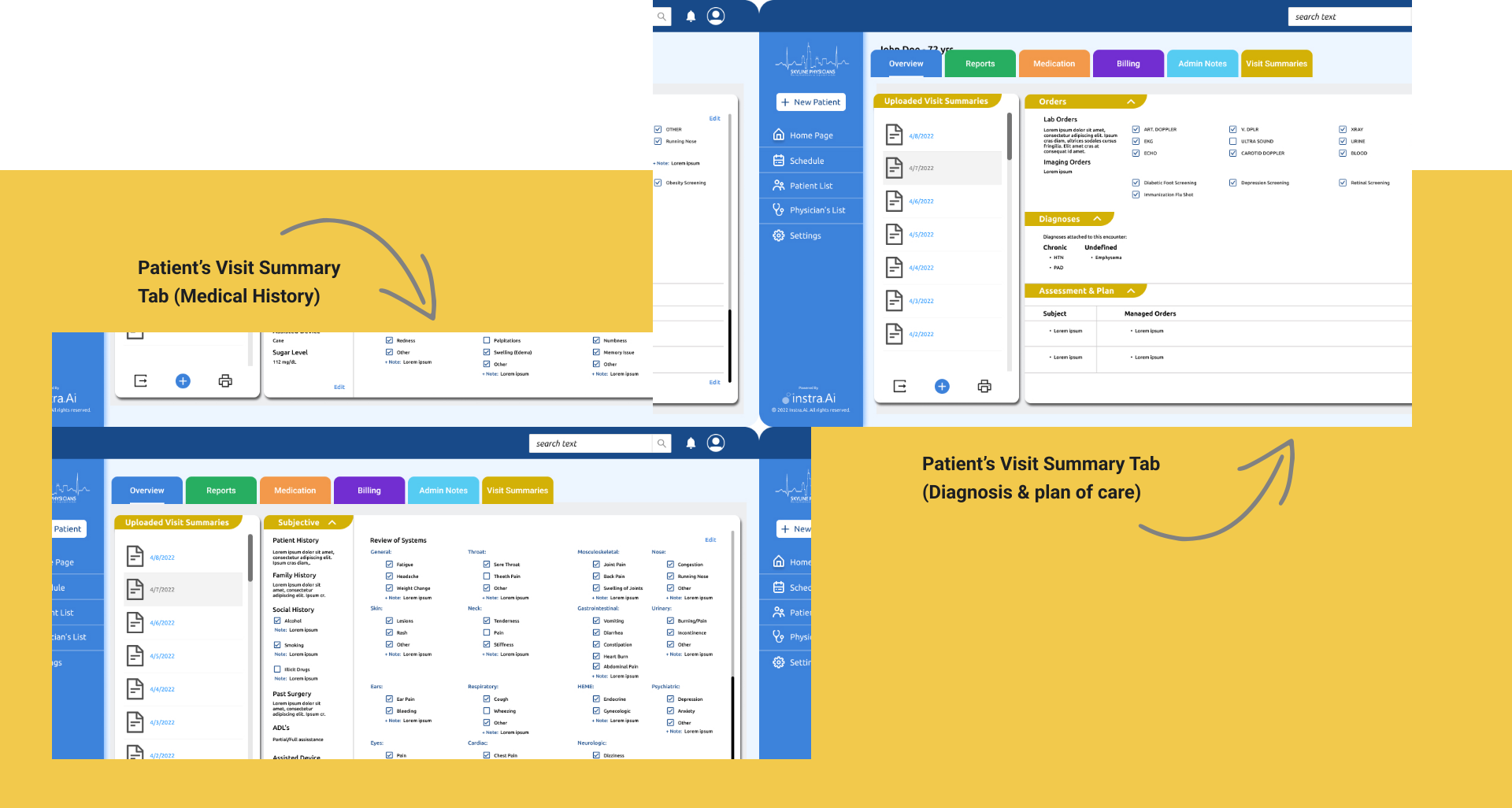
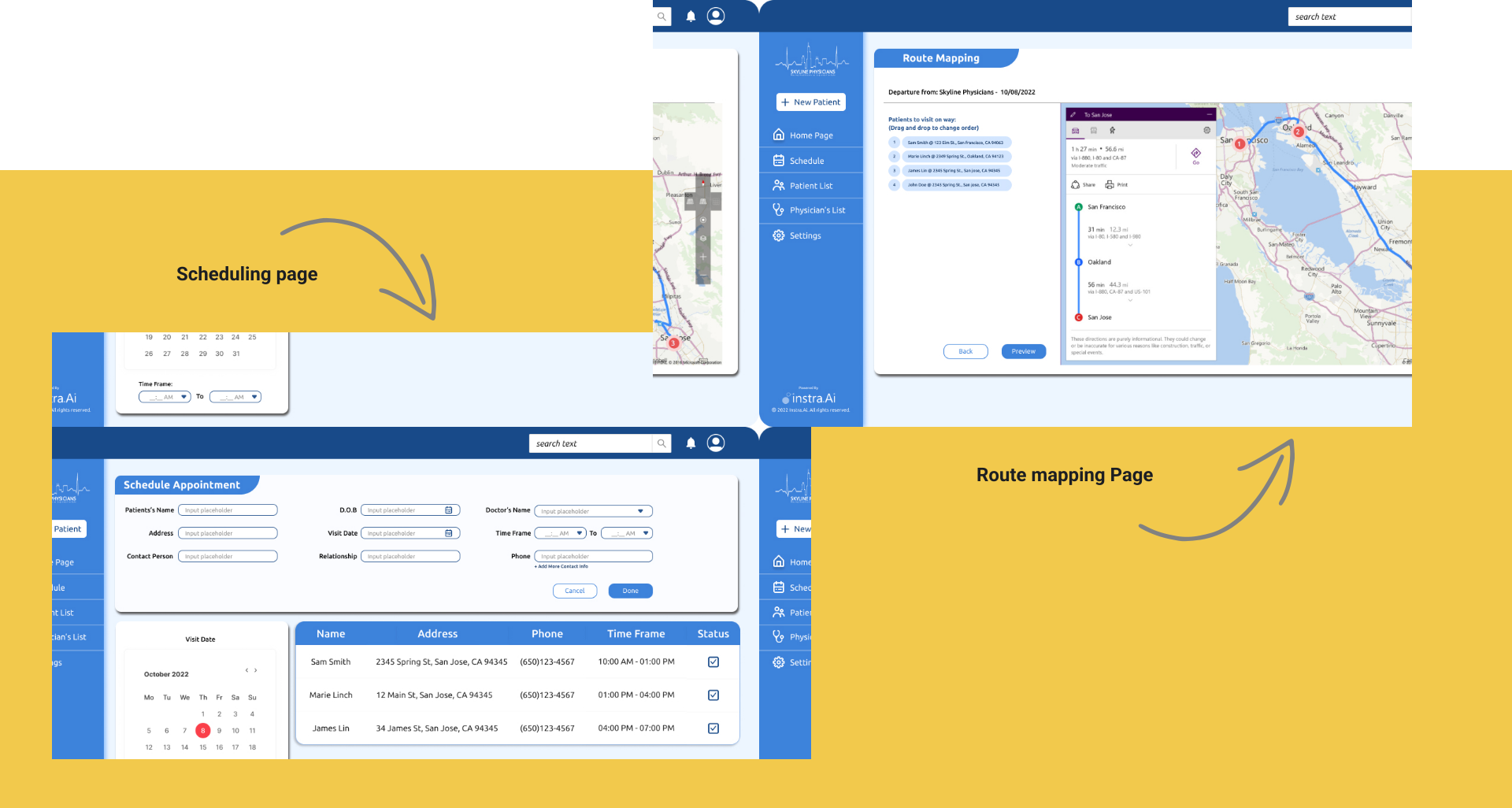
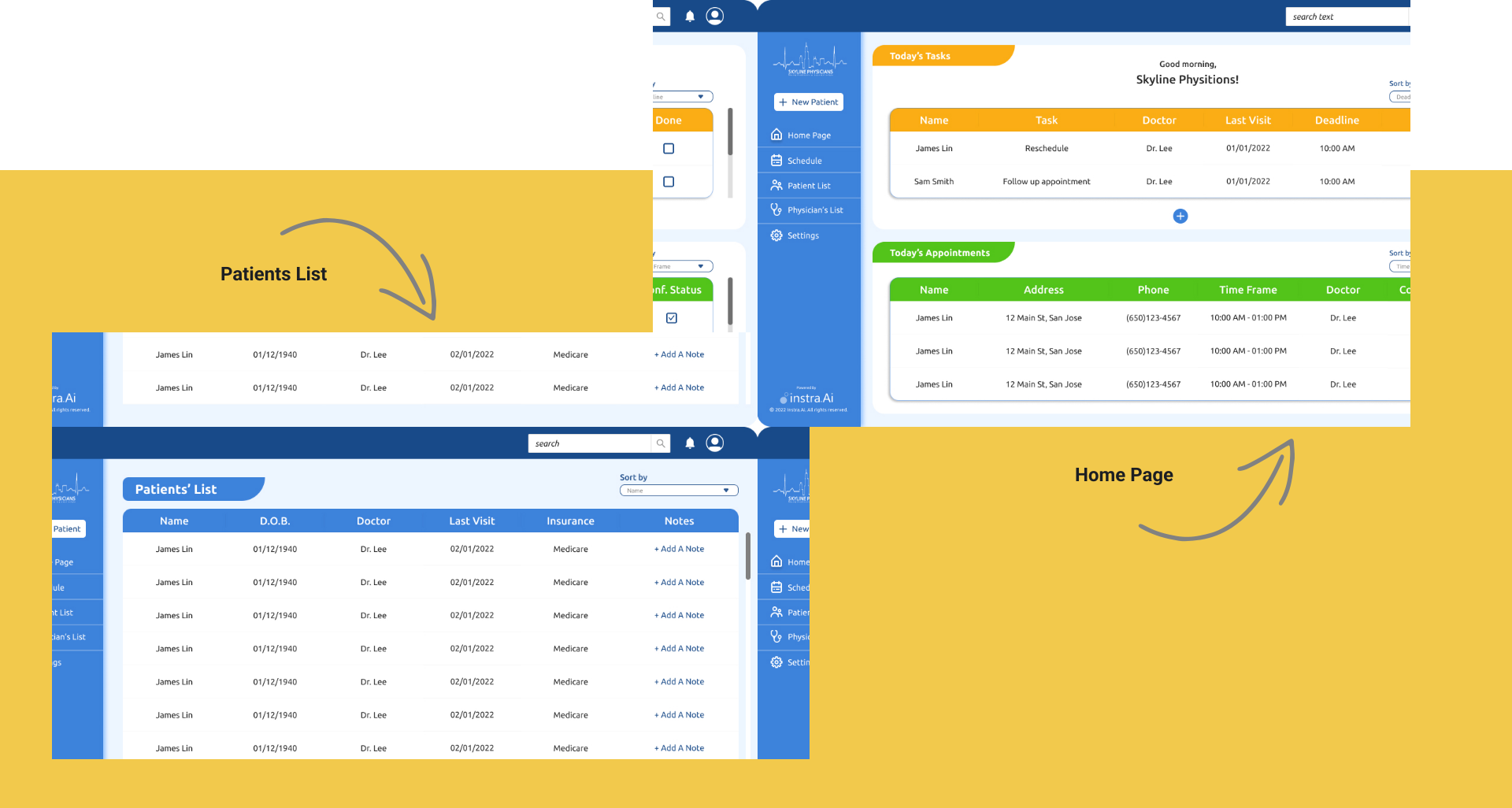
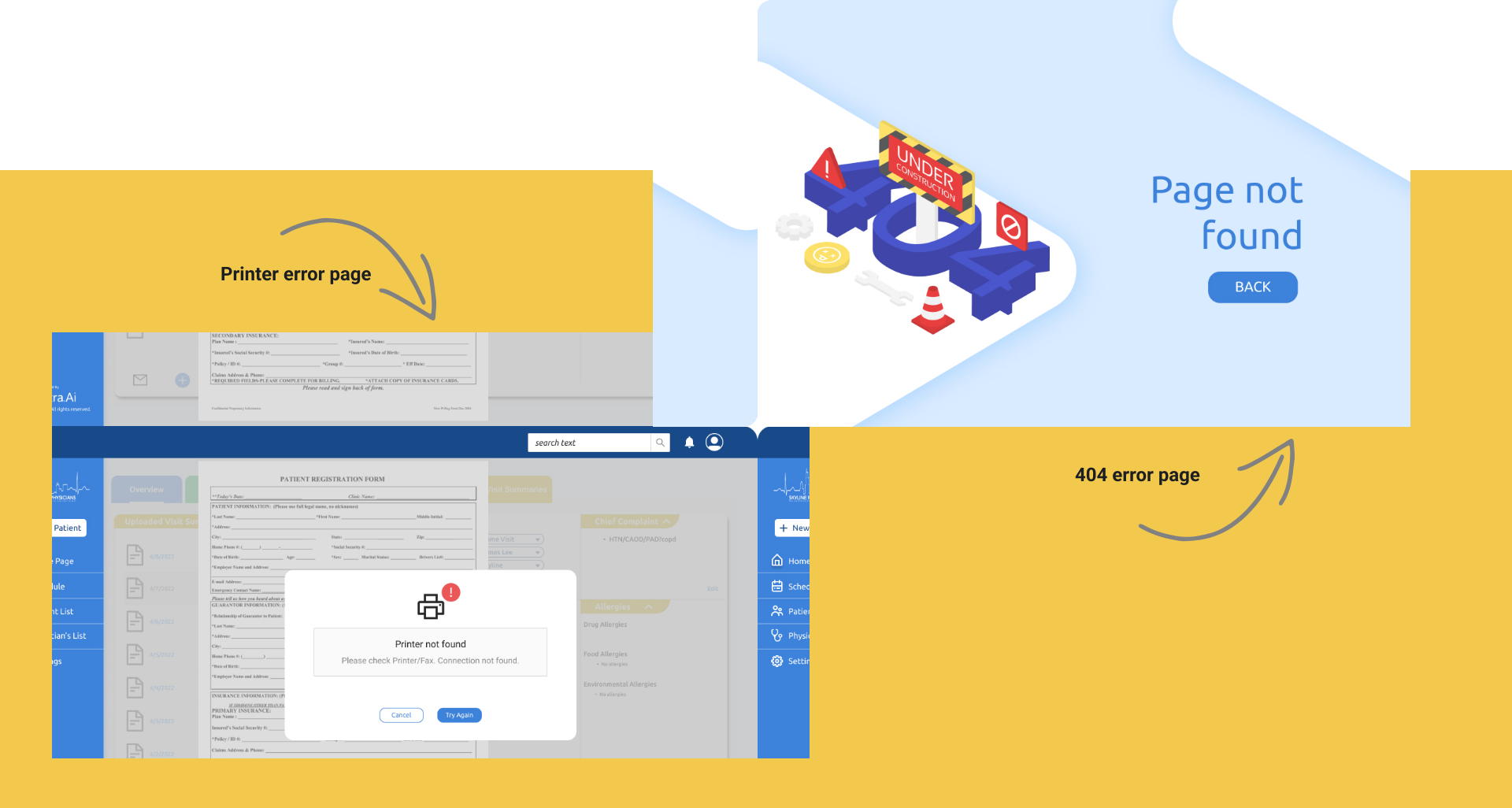
Results
Usability testing
Conducted with ten users through a clickable prototype via Zoom (screen sharing).
100%
of business requirements were met by the current design
70%
of schedulers completed all tasks — scheduling a new appointment, adding a new patient, finding a visit, and summarizing a specific day's visits — on their very first attempt
90%
of users completed each task in under 90 seconds
Reflections
What I learned
Plant seeds early, and they'll grow when you need them. It was nice to hear others on my team discussing hypotheses and following up with testing results. Even when there was time pressure, there was a precedent to discuss and prioritize, rather than just dismiss, any research or design work. There was a lot of work to do, and this made it much easier to move quickly and experiment often throughout the iteration process.
(Collaborative) Iteration is fundamental. It's how design and research work together in practice. Researching forever wouldn't have worked, and neither would tweaking Sketch files forever. Each step informed the next, and all the user and internal feedback I received helped me make decisions.
Next project
ParentPal →