Case Study · 05
Let's find art!
An iPad app that improves the artistic taste of kids — familiarizing children with art styles and masterpieces through interactive quizzes.
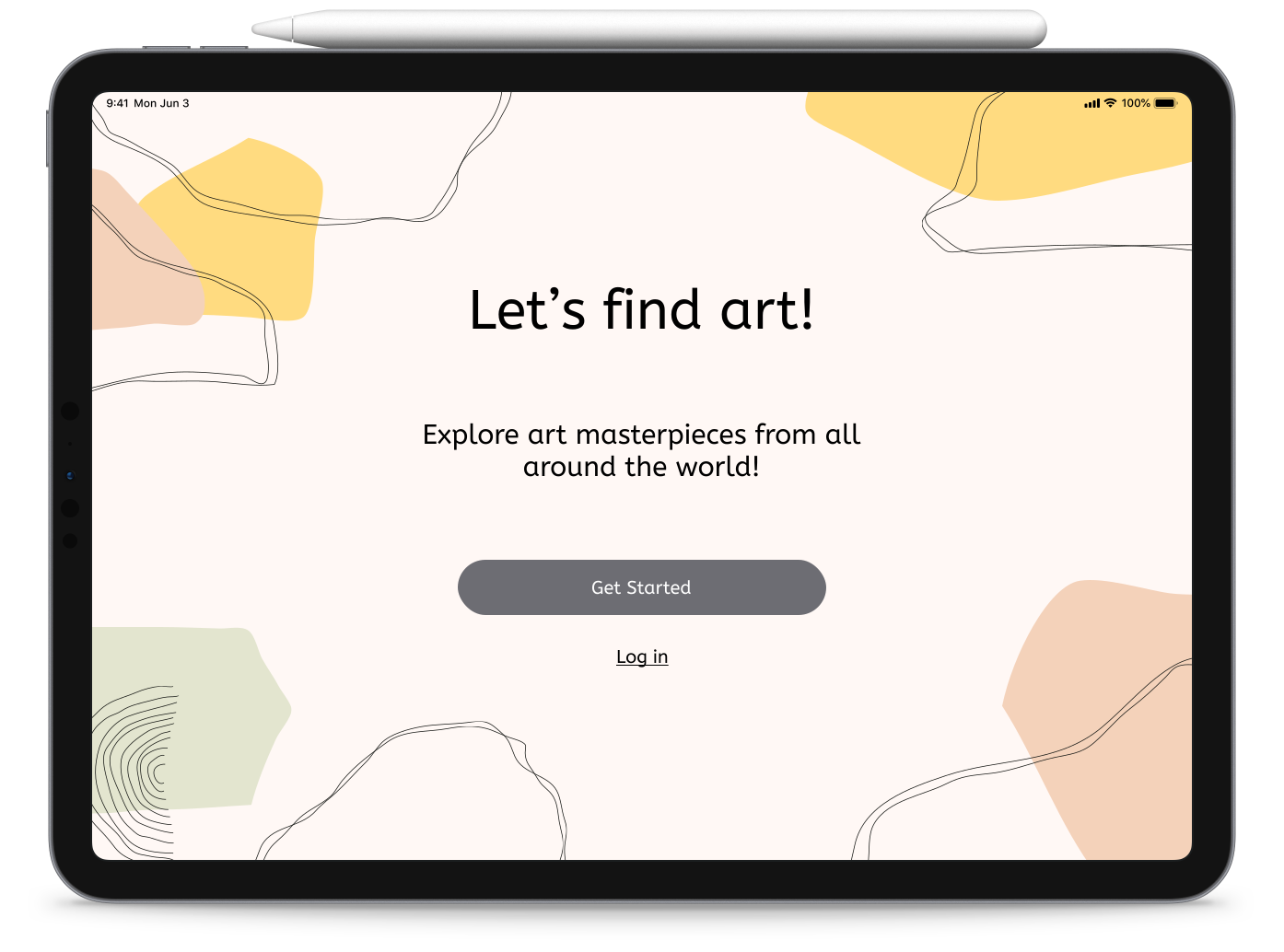
Overview
The challenge
Let's find art! is an iPad app that introduces children to diverse art styles and masterpieces across categories through interactive quizzes and questions — building visual perception and art appreciation while staying genuinely fun to play.
Problem
There's a real shortage of educational, art-focused applications for children. Parents who want to nurture artistic curiosity have few age-appropriate, screen-time-conscious options to turn to.

Solution
An app that teaches kids about art and masterpieces, sharpens their visual perception, and improves their artistic taste — all through playful, engaging quizzes, with the entertainment value that keeps them coming back.

Design roles
- UX Research
- UX Design
- UI Design
Target audience
- Kids between 3 to 11
- Parents
- Art teachers
Deliverables
- UX requirements
- User surveys
- User interview
- Persona
- User stories
- HMWs
- SWOT Competitor analysis
- User flows
- Sketches
- Wireframes
- Lo-fi prototypes
- Usability test data
- Clickable prototype
Specifications
Duration
3 weeks
Tools & Software
- Google Forms
- Pen & paper
- Figma
- Miro
Discovery & Research
Understanding the space
Challenge
- Survey
- Interview the client
- Find the users
- How might we's
- SWOT analysis
- What is the scope
Process
- Minimum Viable Product
- User Flows
- Storyboard
- Sketch
- Wireframes
Outcome
- Prototype
- User Testing
- What was learned
- Next Steps
Client interview & UX requirements
I kicked off the 3-week sprint by working with the client to establish a clear vision and define the target audience, then captured it in a UX requirements document.

Why build it
- Address the shortage of educational art applications for kids.
- Supply credible educational content about art and masterpieces.
- Build early familiarity with art styles across categories.
- Teach art concepts through playful, engaging methods.
Who it's for
- Children interested in art and kids who enjoy online games.
- Parents introducing their children to art.
- Art educators.

Required functionality
- A simple, intuitive interface usable by pre-literate children.
- High-definition imagery with legible typography.
- A parental dashboard with time management — timer and lock.
Personas
Two personas kept both the child and the gatekeeper in focus: Hannah, a curious seven-year-old who loves painting and wants colorful, father-approved games; and Johnny, her 38-year-old single dad, who wants engaging educational games he can trust and control the duration of.

Survey research
I surveyed 23 respondents — students and families from the Bisheh Art Institute — to validate demand. The results confirmed an interested target audience, established a baseline understanding of parental concerns, and surfaced device-accessibility challenges for kids.
Survey results
Kids like trivia games the best
Kids go to public school
Single child kids
Parents want timer on parental section
Kids use tablets for playing

Target audience profile
I analyzed my survey results to help define the target audience.
Key Demographics
Preferred Channels
Challenges
Key Psychographics
Habits
Wants to
User interviews
I followed up with three Zoom interviews with parent volunteers from the survey, exploring their kids' favorite games, the game types they avoid, their concerns, and how much screen time they allow.

What I heard:
- Kids prefer colorful, interactive, intuitive games with clear objectives (Minecraft and PBS Kids came up).
- Parents avoid games depicting violence, unkindness, or inappropriate content.
- Top parental concerns: excessive screen time, hidden messages, and addictive mechanics with no developmental payoff.
- Typical usage: one to two sessions a day, around an hour total at most.
Pain points:
- An absence of quality educational art applications.
- Addictive games with no time limits or real benefit.
- Parental anxiety around screen time.
Define
Shaping the solution
User stories
I wrote stories for both the parent (the decision-maker) and the child (the player).
As a parent, I want to…
- Give my child games that come with real learning.
- Avoid unrestricted access to outside content.
- Manage and limit screen-time duration.
- Find affordable options.
As a child, I want to…
- Explore art from home, especially during lockdown.
- Enjoy music and animations while I play.
- Have my own tablet time.
Defining the MVP
The MVP centered on the features that make the app both educational and trustworthy for parents:

Interactive art quizzes across categories
High-definition masterpiece imagery
Simple interface for pre-literate kids
Narrator voice for non-readers
Parental dashboard with timer & lock
Design
From flows to mockups
User flows
I mapped navigation paths for both audiences — the parent setting things up and managing time, and the child moving through the quizzes — so each could move through the app without friction.
Wireframes
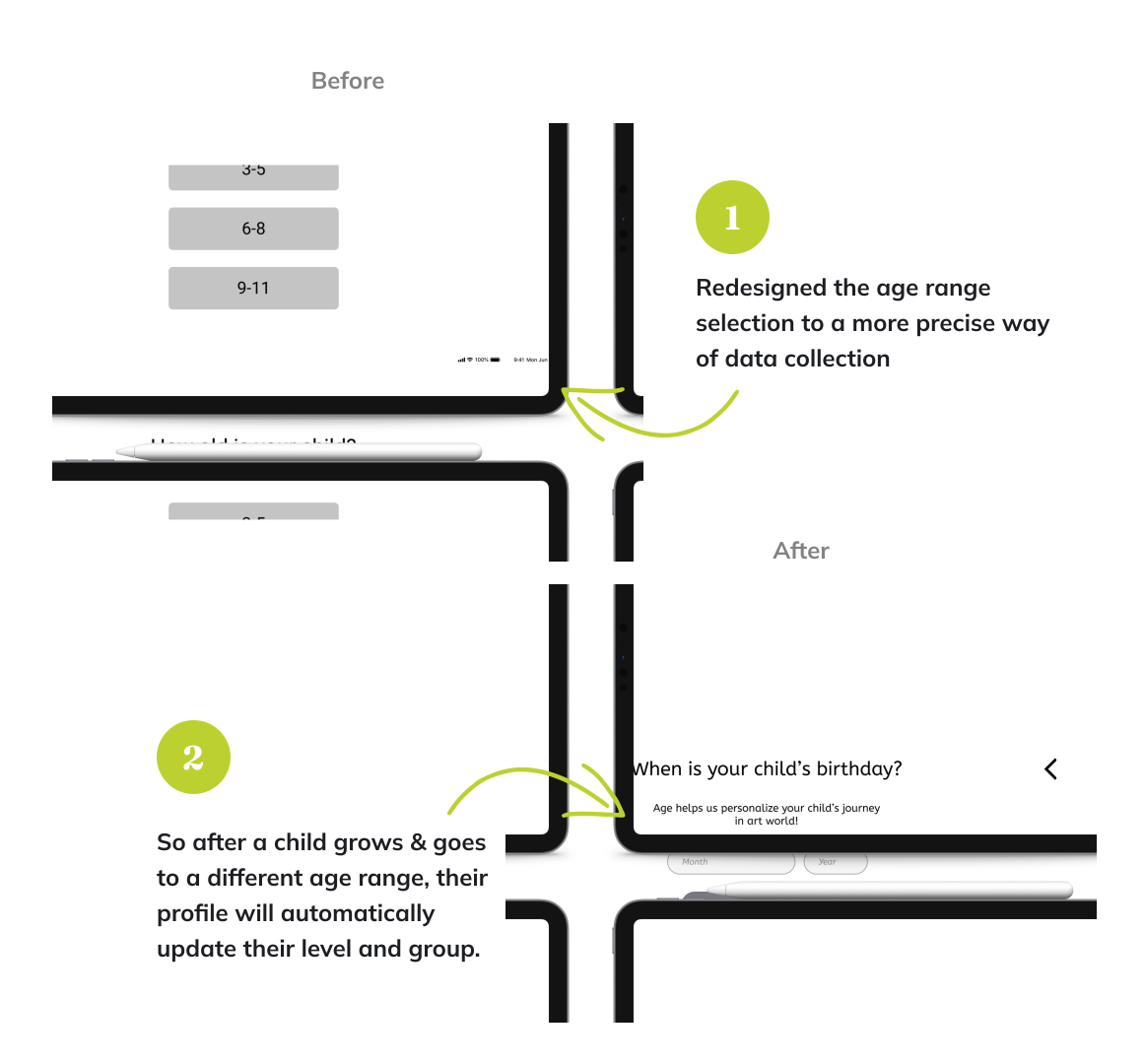
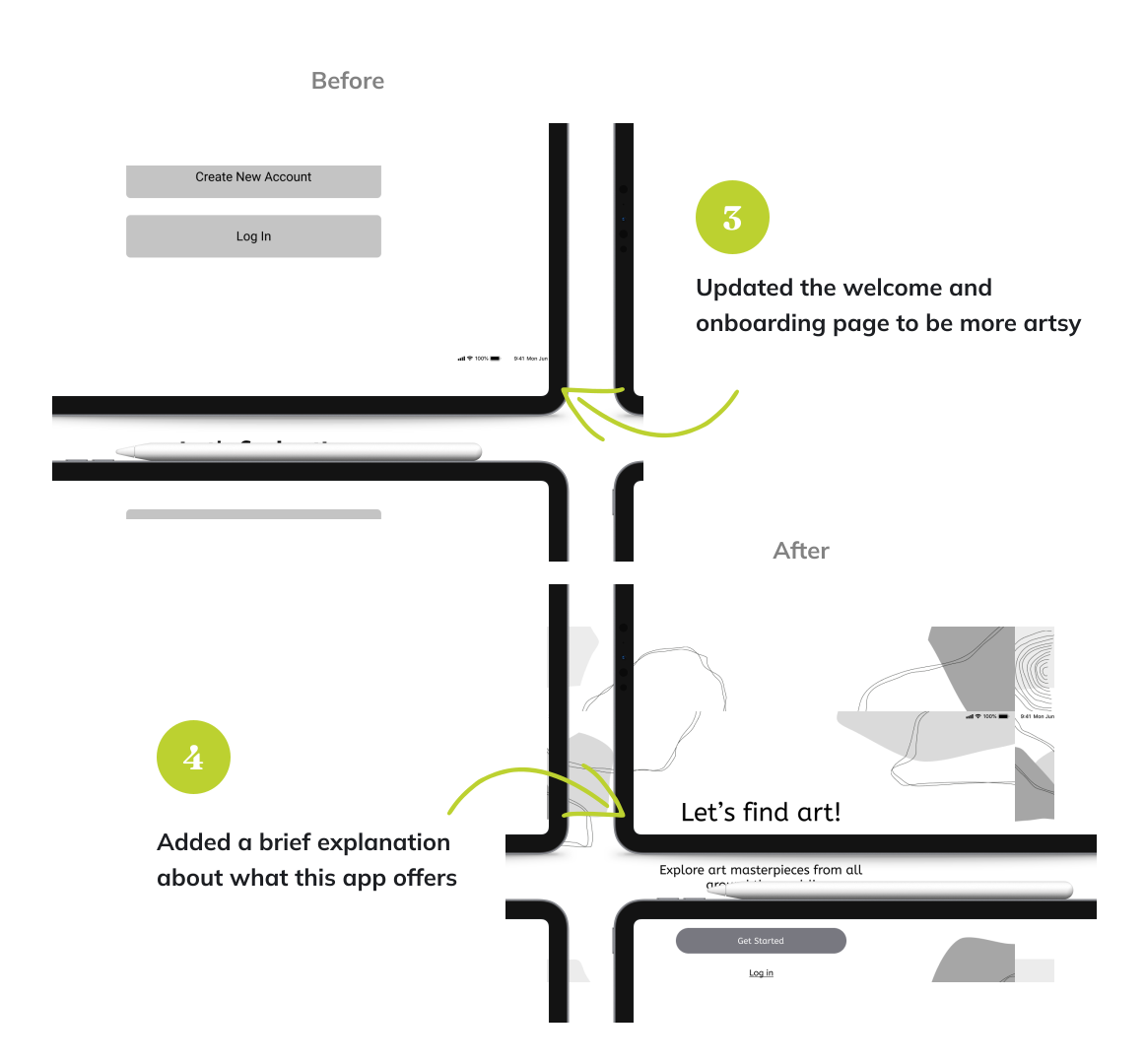
I built wireframes from the selected sketches and ran informal testing with two children and their parents, then refined the designs against the business requirements and what I heard.
Accessibility
Designing for young, often pre-literate users made accessibility central, not optional:

- AAA color-contrast compliance for all text.
- Large, easily tappable buttons.
- A narrator voice so non-reading children can play independently.
- Planned next: light and dark mode options.
Prototype
The final high-fidelity prototype brings together all the design decisions — the onboarding flow, parental controls, and the quiz experience — into a clickable, testable product.
Open in FigmaResults
Usability testing
I ran a second, formal round of testing with three children and their parents, focusing on navigation, profile creation, the child-friendliness of the interface, and engagement. Kids navigated intuitively and the response was warm:
"It's so easy and clear to navigate through the app."
Test participant
"I wish I had such a game when I was a kid!"
Parent
66%
of kids wanted to see more animations
33%
of parents wanted to have classified art questions by category
Client review
- Requested deeper animation integration.
- Approved mixing question categories to encourage broad art exploration.
- Endorsed the simple, modern, intuitive interface.
The project wrapped within the three-week sprint with a validated prototype ready for development consideration.
Reflections
What I learned

Communicate with stakeholders often. More frequent check-ins with the client made the collaboration smoother and kept the work aligned with their vision.
Interview clients deeply. Richer client interviews yield a much clearer understanding of the requirements — the upfront time pays for itself.
Imperfection is acceptable. Iterating on imperfect ideas beats waiting for a flawless first attempt.
Design sprints validate merit. A sprint surfaces which concepts are worth pursuing, while honestly revealing feasibility constraints.
Test earlier. Earlier testing cycles consistently improve the final outcome.
Next project
View all work →